
PH222 Withdraw Guide: Fast GCash Cashout & Turnover Rules
Pre-Withdrawal Verification and Turnover Rules
Before your cashout request can be approved, the cashier system checks two essential regulatory standards. Satisfying these criteria ensures instant automated approval without manual audit delays.
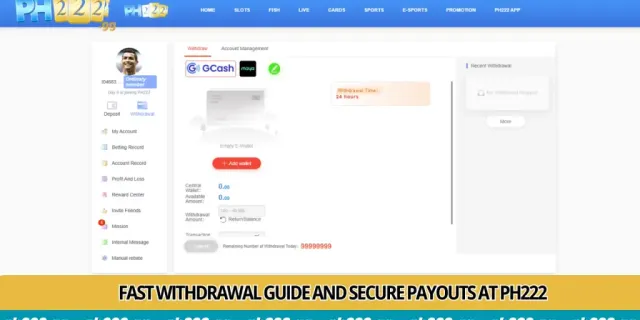
Step-by-Step GCash Cashout Sequence
Withdrawing your real-money winnings takes just a few taps on mobile. Follow this structured process in the cashier section to initiate a payout.
- Step A: Tap the Withdraw icon on your user account dashboard.
- Step B: Select your bound GCash or Maya wallet as the target payout channel.
- Step C: Enter your cashout amount between ₱100 and ₱50,000.
- Step D: Confirm your 6-digit transaction security PIN to submit the request.
The system will instantly process your transaction and notify you via SMS when funds have arrived in your GCash account.
Withdrawal Speed and Channel Limits Matrix
Different payment methods operate on specific daily volume capacities. Compare processing times below to select the optimal payout channel for your needs.
Frequently Asked Questions About PH222 Withdrawals
What is the minimum and maximum withdrawal limit on PH222?
The minimum withdrawal is ₱100, while standard members can withdraw up to ₱50,000 per transaction and up to ₱100,000 daily.
How long does a GCash withdrawal take to arrive?
Most GCash withdrawals are processed via automated merchant transfers within 3 to 10 minutes of confirmation.
What is the 1x turnover requirement before withdrawing?
Deposited funds must be wagered at least once across any casino games to comply with anti-money laundering regulations before cashout.
Why is my withdrawal request showing as pending?
A pending status indicates ongoing turnover verification or routine bank network synchronization. Contact 24/7 support if pending exceeds 30 minutes.
Are there fees deducted from my GCash withdrawals?
Zero fees. PH222 absorbs all e-wallet gateway processing charges so you receive the complete amount requested.